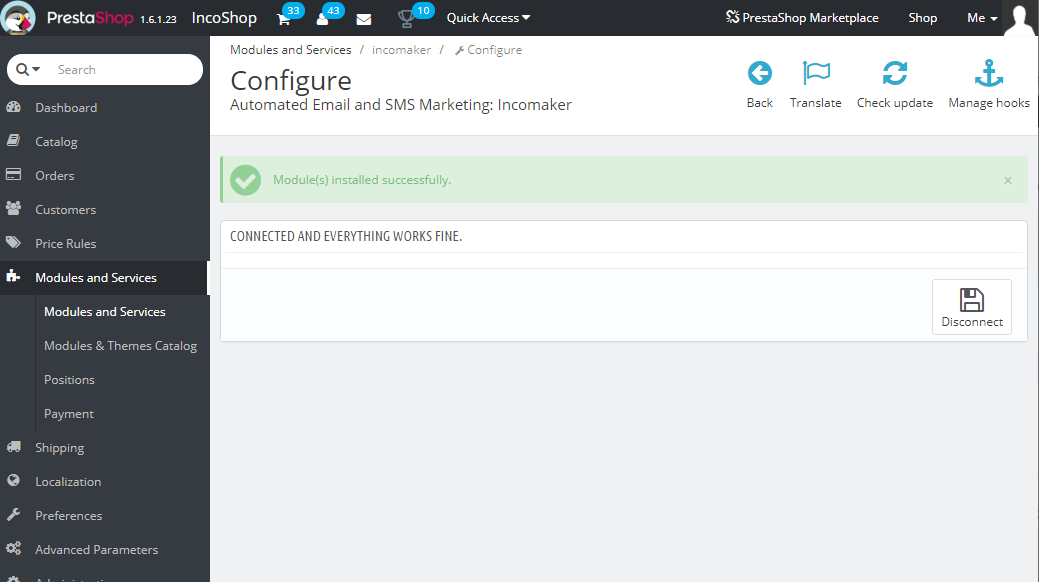
Step 1
Download the
Incomaker module for Prestashop
Step 2
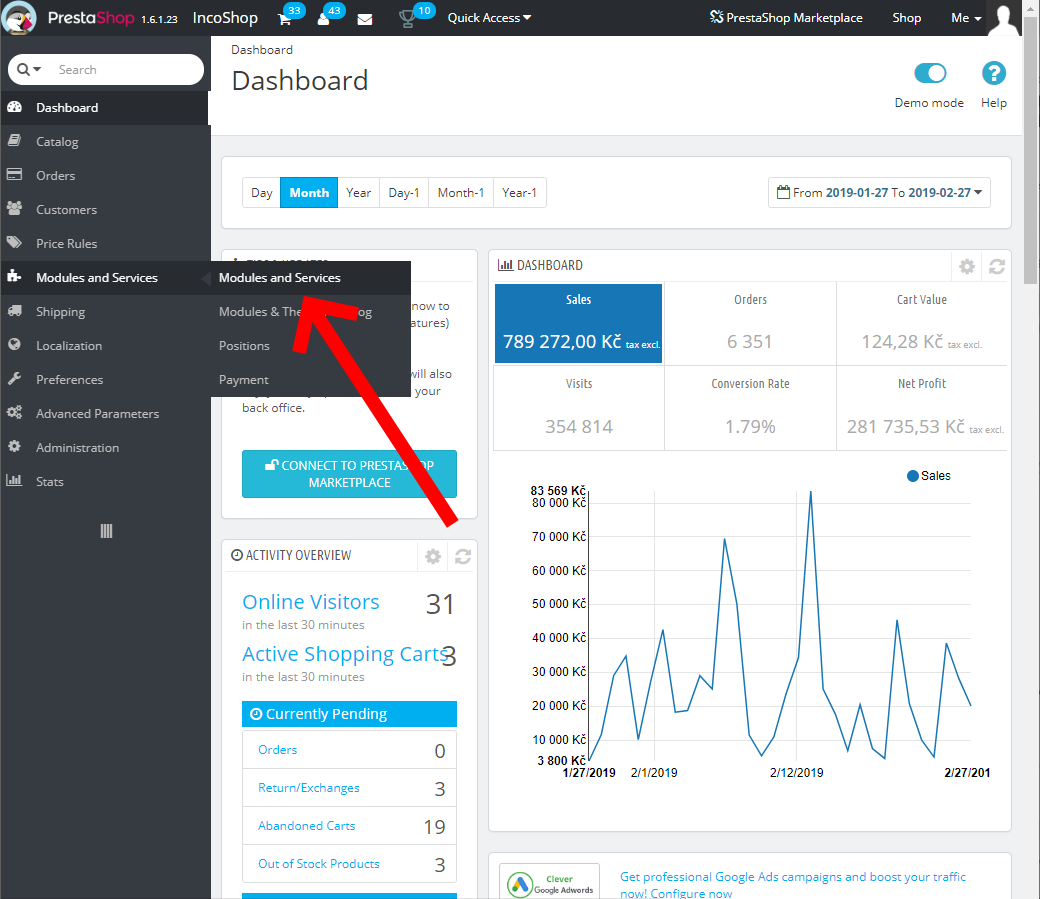
Open Prestashop administration and click Modules and Services.
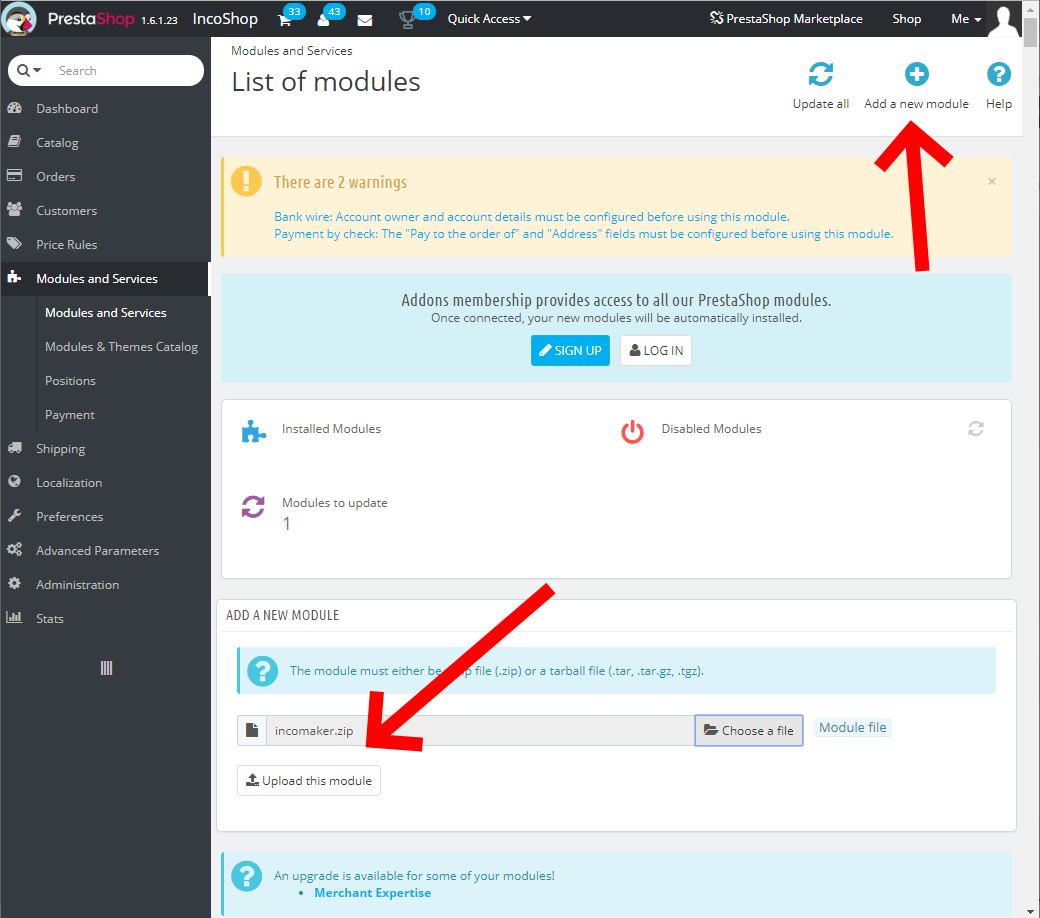
Click Add a new module, choose zip file you’ve just downloaded and click Upload this module.
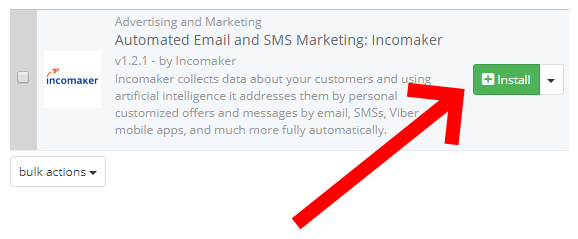
If everything is OK, the Incomaker module will be displayed.
Click Install.
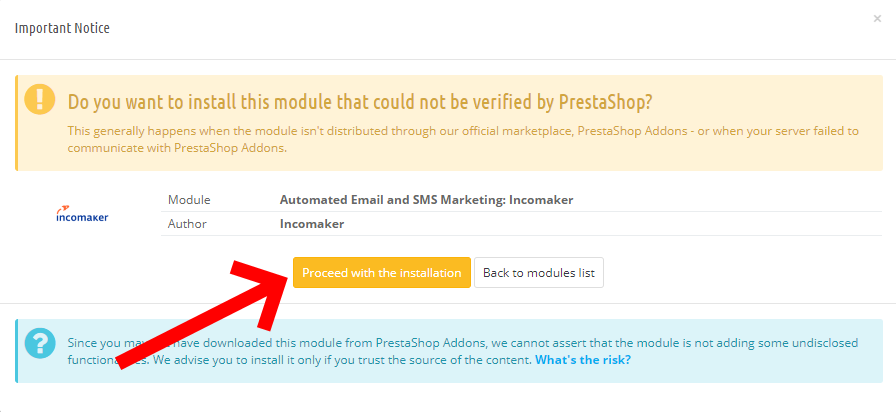
Don’t worry, if you downloaded the module from the link above, the module is perfectly safe.
You can proceed with the installation.
Step 3
After installation, connect to Incomaker. Enter your Incomaker account name and password.
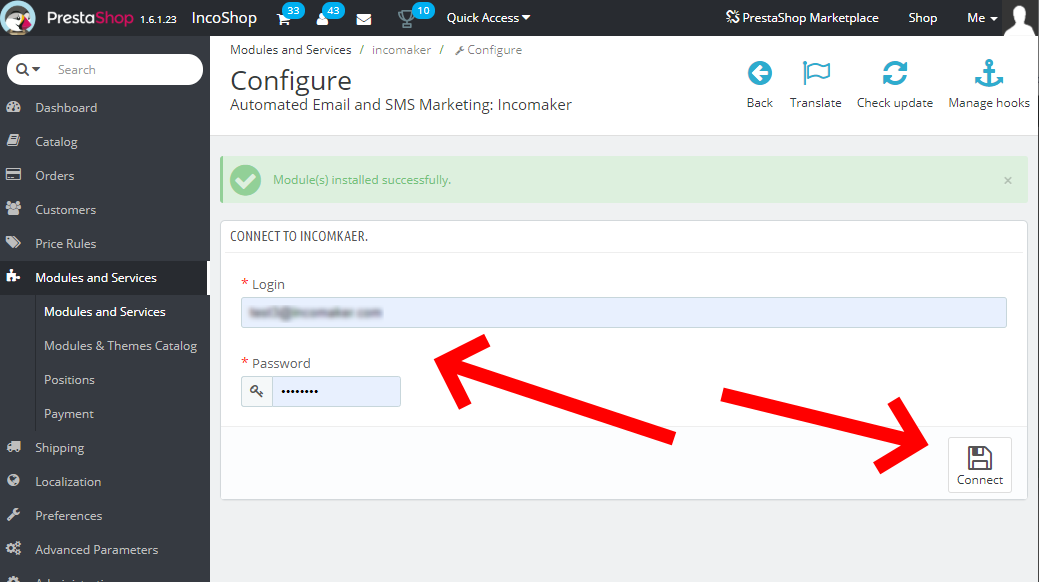
After a successful login, the plugin will automatically start synchronizing with Incomaker. This may take some time. After that, all your data, contacts, products, etc. will be transferred.