

Step 1
Download the latest version of the Incomaker
plugin.
Step 2
Go to the Plugins tab and click the button Add New.
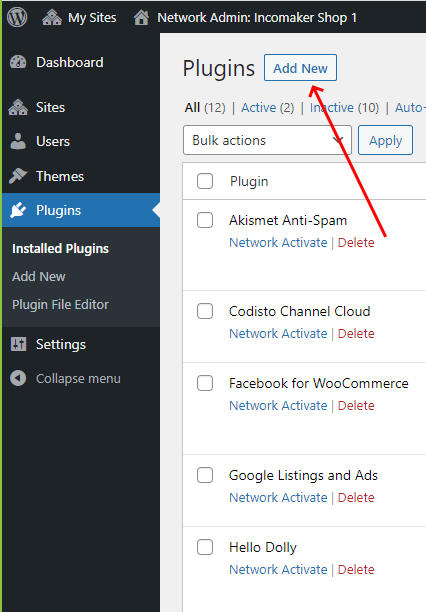
Click Upload Plugin button and then select file incomaker.zip that you’ve just downloaded.

Step 3
Under Installed Plugins, find the Incomaker plugin and click on Settings.


Step 4
Fill API Key and click Save Changes.
If you entered correct value, Account ID and Plugin ID
will be filled automatically.

How to Obtain an API Key
You will get value of your API Key in your Incomaker account after clicking
Eshop info.
Open my.incomaker.com
In upper right corner click on Eshop info

Copy value of field labeled as API key

Paste the value into WooCommerce and save. If you entered correct value, Account ID and Plugin ID will be filled automatically.
Incomaker and WooCommerce accounts are now connected and automatic data synchronization will follow.