

Log in to your e-shop’s Customer Administration. In the left-hand menu, expand the Marketing category and select Discount Coupons.
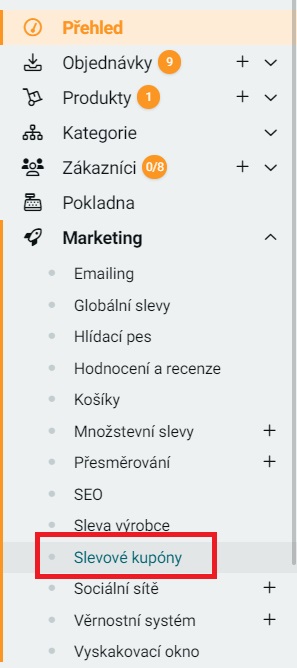
Generating Discount Coupons
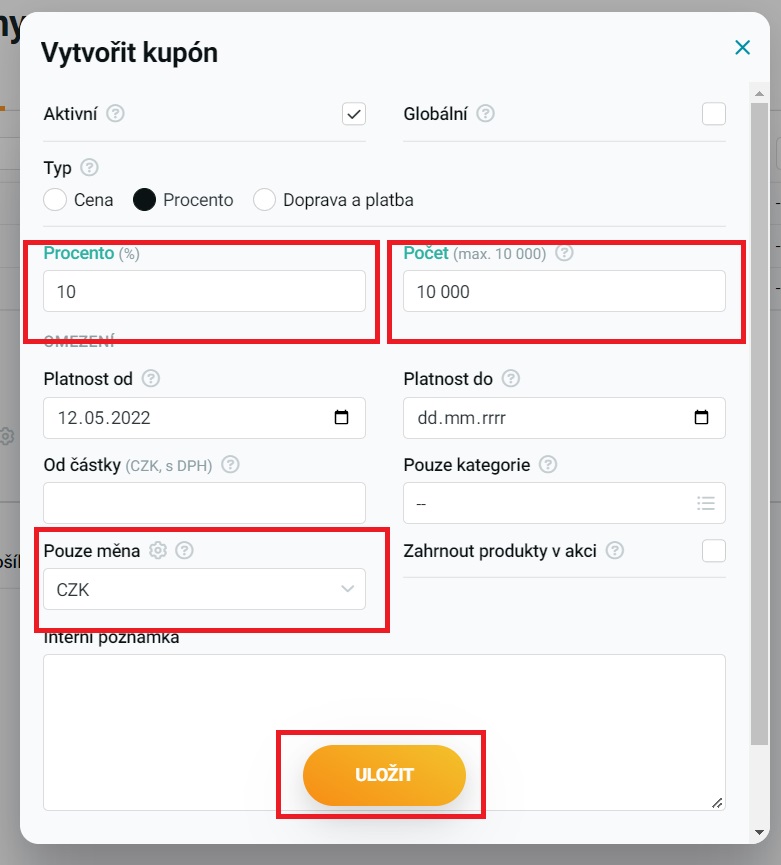
Click the New button, and a dialog window will open where you set the coupon parameters. There are two most important things here — fill in the Quantity field and select the correct currency. You can set the other parameters however you see fit, but for a holiday-coupon campaign we recommend generating as many coupons as possible (in Upgates the maximum is 10,000) and not setting an expiration date (because we’ll be sending them out gradually, and a fixed expiration date would cut that short). Conversely, if you’re running something like a weekend promotion and send the coupons all at once in a single campaign, it’s better to set an expiration date. If you want each coupon to be redeemable only once, do not select the Global option.
Once you’ve set the parameters, click Save.
Next, in the Add-ons – API section, click the pencil icon next to Incomaker and, for discount coupons, select read and write — see the screenshot.

That’s all — the coupons will be generated, we’ll automatically download them into Incomaker, and all you need to do is insert the email variable for discount coupons into the relevant email template.