

Warning! When connecting Shoptet with Incomaker, only contacts that are directly registered in Shoptet will be imported into Incomaker. If you use Ecomail for sending newsletters and now want to reach these contacts through Incomaker as well, you need to import these contacts from Ecomail into Incomaker.
In Ecomail, go to Contacts, select the list you want to upload into Incomaker and open it. Then click “Export these contacts.”
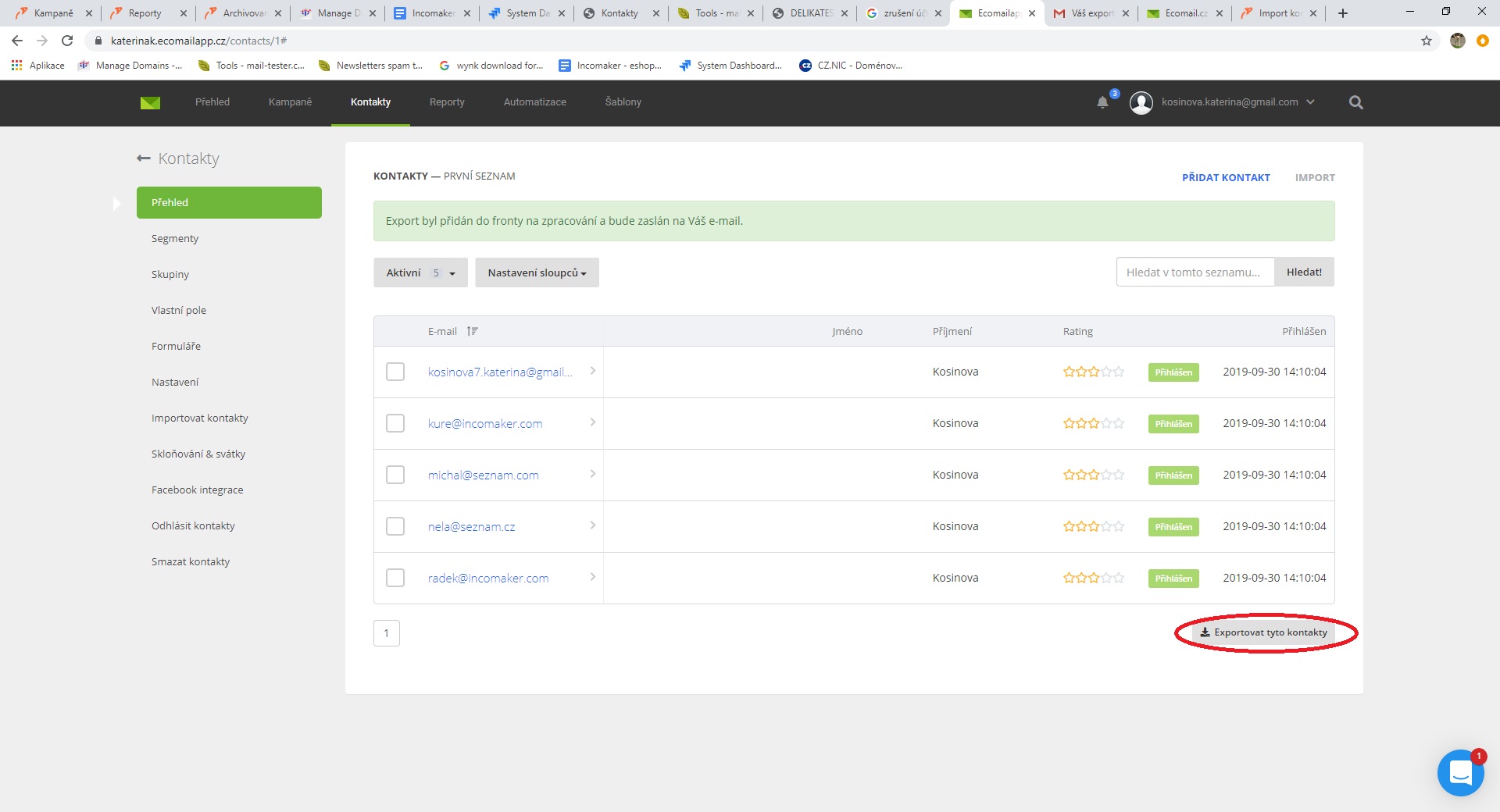
You will receive an email with a link to the exported document in CSV format, which you should download.
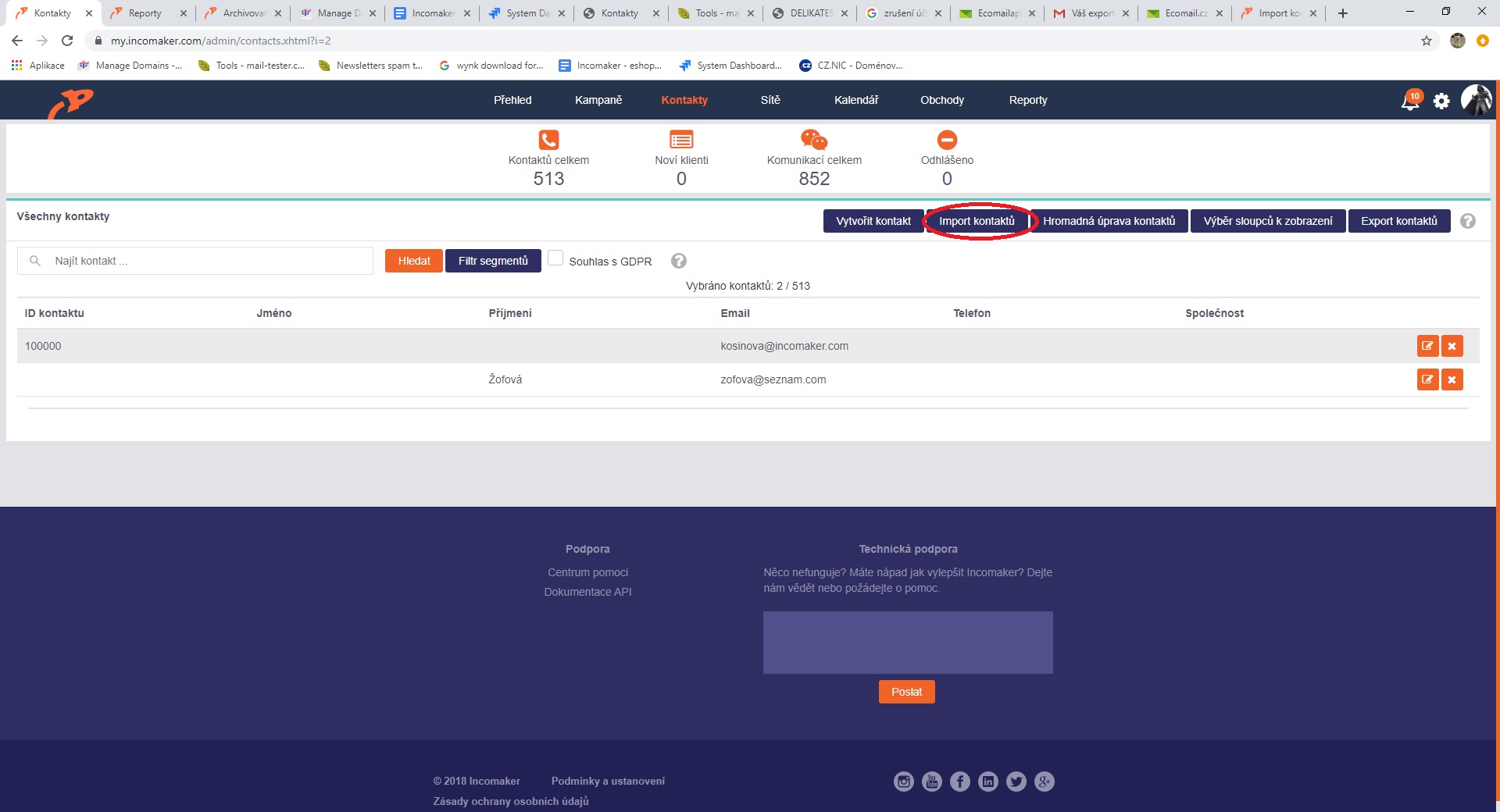
In Incomaker, in the Contacts tab, click the “Import contacts” button.
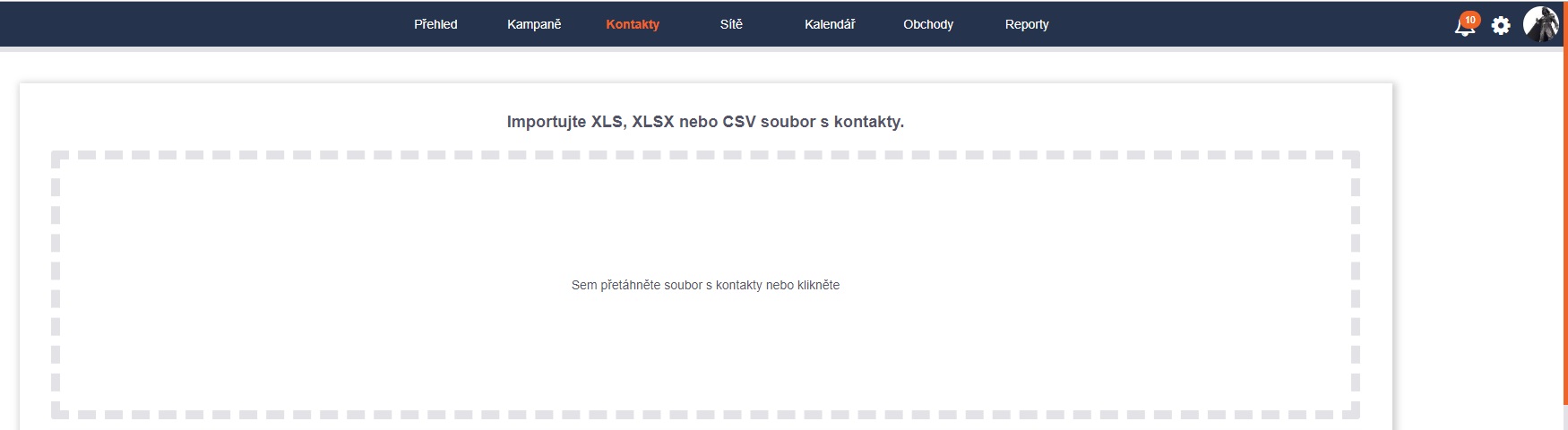
In the import field, either drag and drop the downloaded file, or click to browse for it on your computer and open it.
The contacts you are importing will be loaded. In the “Mailing list” section, click on “Newsletter” and it will be highlighted in green. You can select multiple lists as well – the imported contacts will be added to all green-highlighted lists. Next, you choose the column mapping.
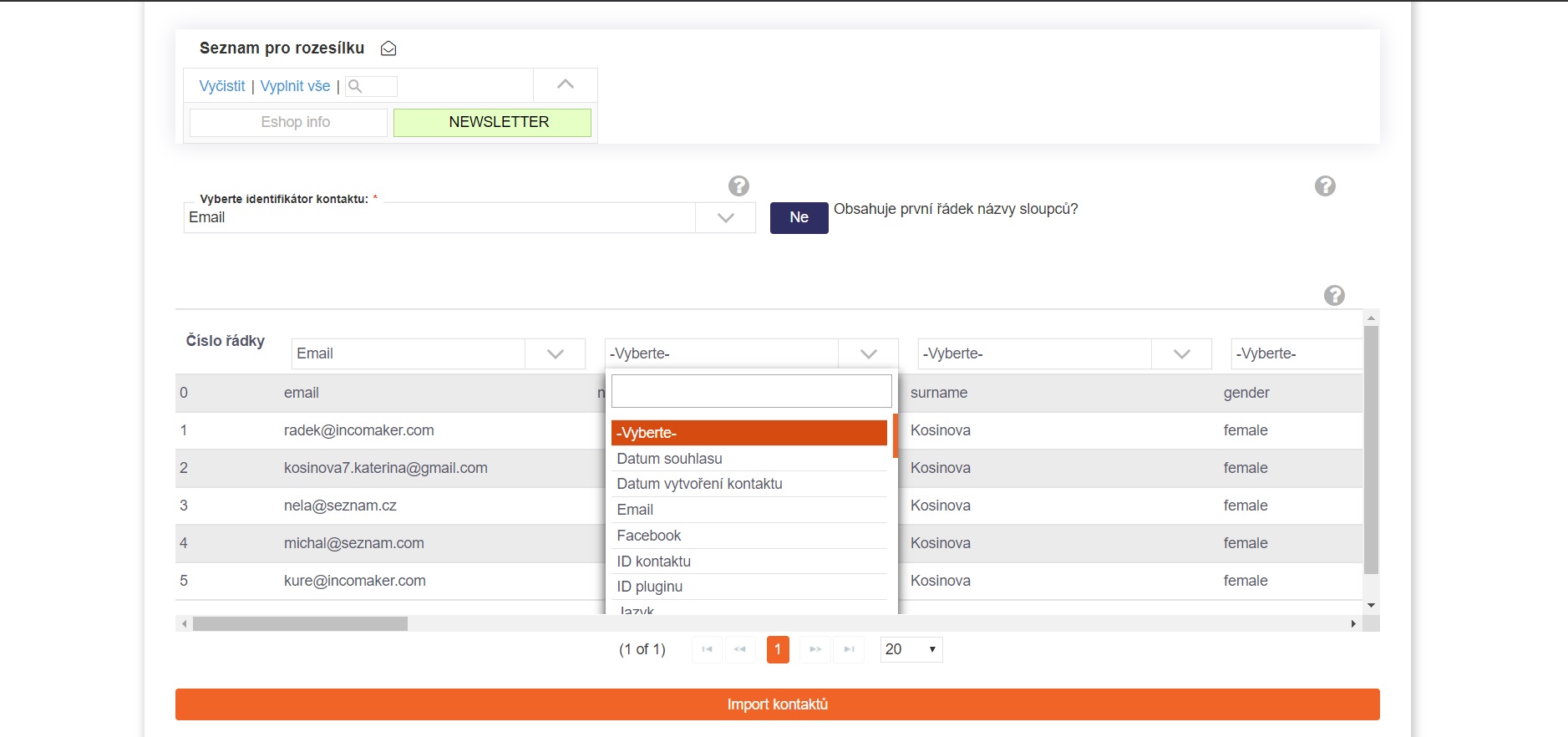
You complete the import by clicking the “Import contacts” button.