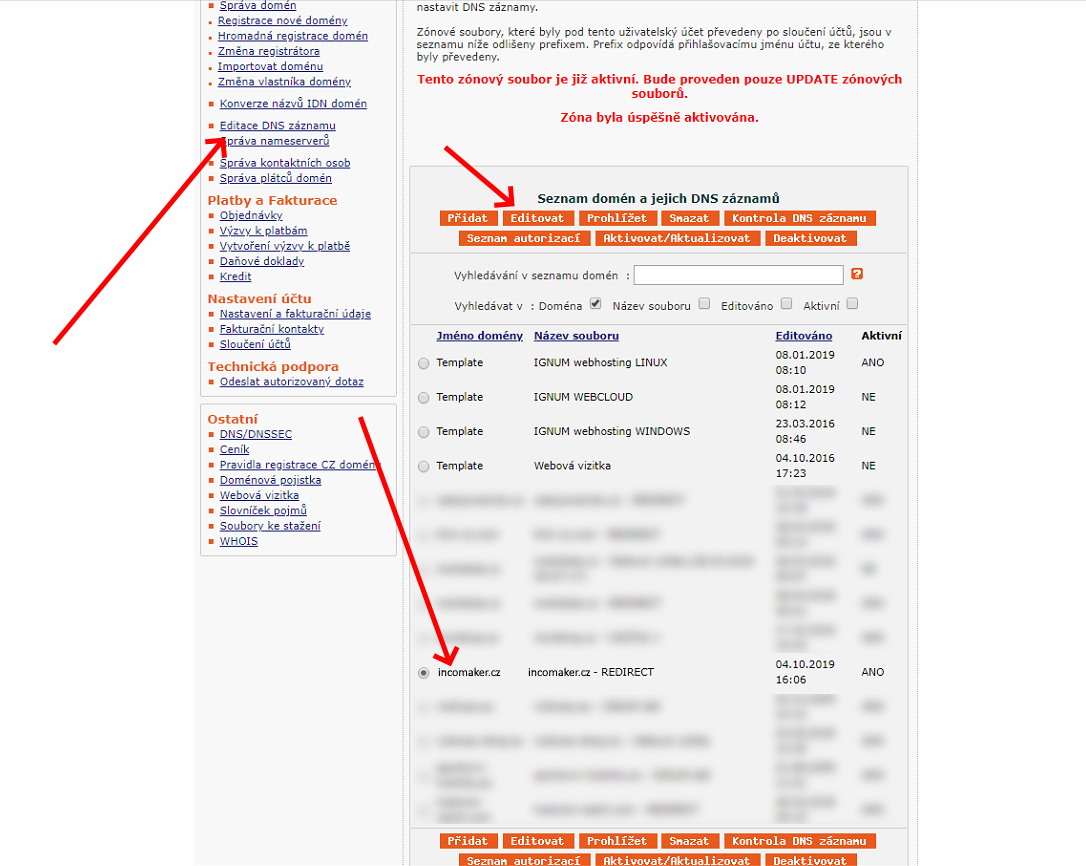
Log in to your account at puvodni.domena.cz. In the left-hand menu, click Domains, and then select the domain associated with your website or e-shop. This will open the Domain Details page, which should look similar to the example shown below. Next, click Edit DNS Records.
SPF (Sender Policy Framework)
In the Edit TXT Records section, enter the @ symbol in the Name field and paste the following text into the Value field. Finally, click Save.
"v=spf1 a mx include:incosrv.com -all"
It is possible that an SPF TXT record is already configured (for example, if you have previously used another email marketing or email service provider). You can identify this by looking for a record in the table below whose Value begins with v=spf1.
If such a record exists, click Edit on that row and modify the existing record instead of creating a new one. Simply add the text include:incosrv.com anywhere within the SPF record, except at the very beginning or the very end. This will authorize Incomaker’s mail servers while preserving the existing configuration.
DKIM (DomainKeys Identified Mail)
Next, log in to your Incomaker account, click on the main Campaigns tab, and then select DNS Settings from the menu on the left-hand side.
Alternatively, you can access it by navigating to Overview → My Suggestions → DNS Settings.
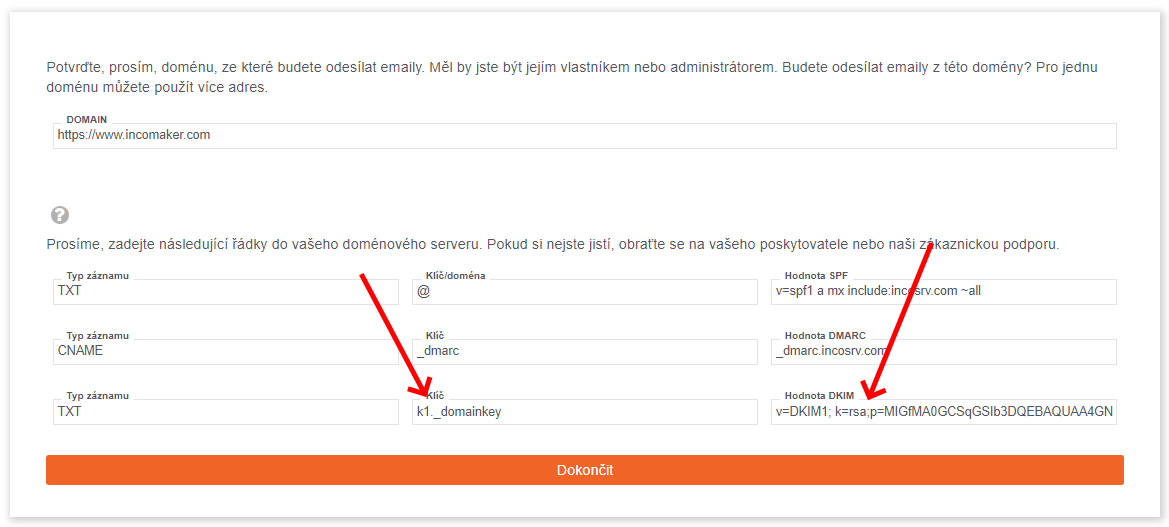
We are interested in the last row.
Switch back to Ignum. In the Name field, enter the value shown in the Key field in Incomaker. In the Value field (in Ignum), copy and paste the contents of the DKIM Value field from Incomaker, then click Save.
After that, return to Incomaker and click Finish.
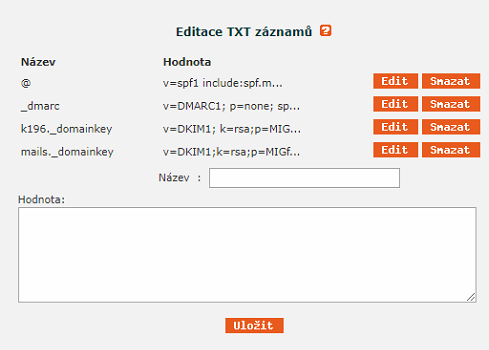
The final result should look approximately like the following:
DMARC (Domain- based Message Authentication, Reporting, and Conformance)
In the Edit TXT Records section, enter the following into the Name field:
_dmarc
In the Value field, enter the following text and click Save. A new record will then appear on the screen:
v=DMARC1; p=none; sp=none; rua=mailto:postmaster@incosrv.com; ruf=mailto:postmaster@incosrv.com; rf=afrf; pct=100; ri=86400
Activation
Unlike most other hosting providers, Ignum requires you to manually activate changes after editing DNS records.
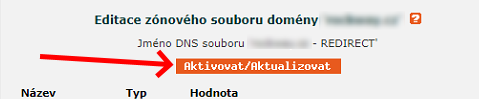
To do this, go to the top of the Domain Edit page and click Activate / Update. This step is necessary for your DNS record changes to take effect.