Incomaker Analytics helps you manage, analyze and measure your website to best understand your customers and maximize your ROI. Incomaker Analytics is similar to Google Analytics, but provides the unique advantage of providing a more detailed view of all your customers. If you’re currently using Google Analytics, don’t despair; you can use Incomaker Analytics at the same time.
If you’re using one of our direct e-commerce integrations or plugins, you don’t need to connect Incomaker Analytics manually. It’s already included.
Only use this guide if you’re connecting a website or blog that doesn’t use our plugin.
Connecting Incomaker Analytics
You can easily connect your website. Go to Campaigns and select Set up Incomaker Analytics.

Here you will get the appropriate code. The recommended way to insert the code is to use Google Tag Manager.
If you don’t use Google Tag Manager, you can embed it directly into your site on every page. For example, you can insert the tracking code in the footer.
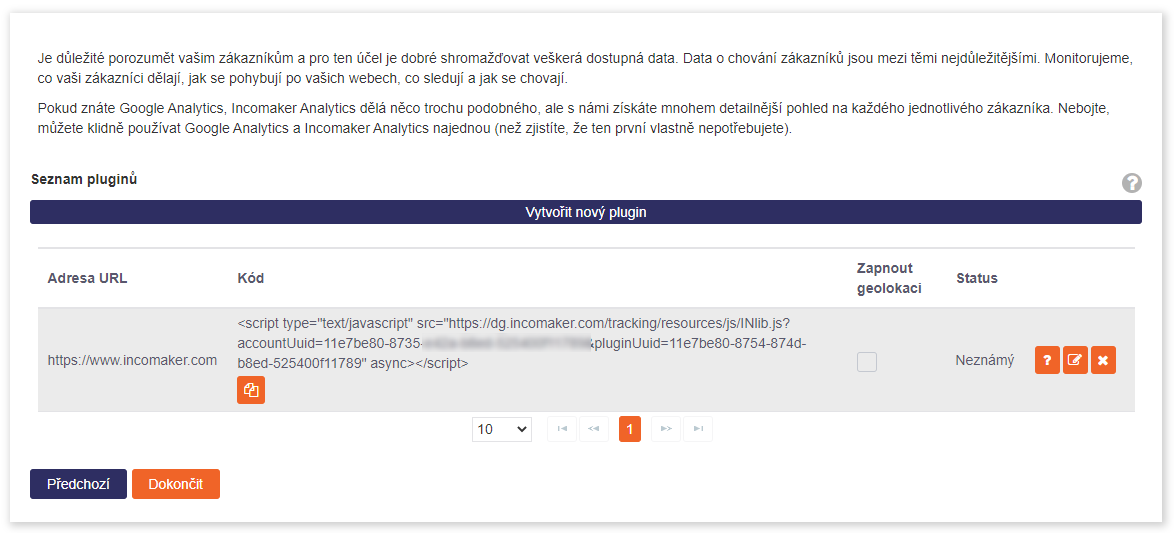
When you have successfully added the tracking snippet code, click Finish. This will connect the site to Incomaker.