In order for emails from Incomaker to come from your domain correctly, you need to set up so-called DNS records. DNS is a kind of phone book of the Internet, and with the corresponding records – in simple terms – you grant Incomaker the permission to send mail on behalf of your domain.
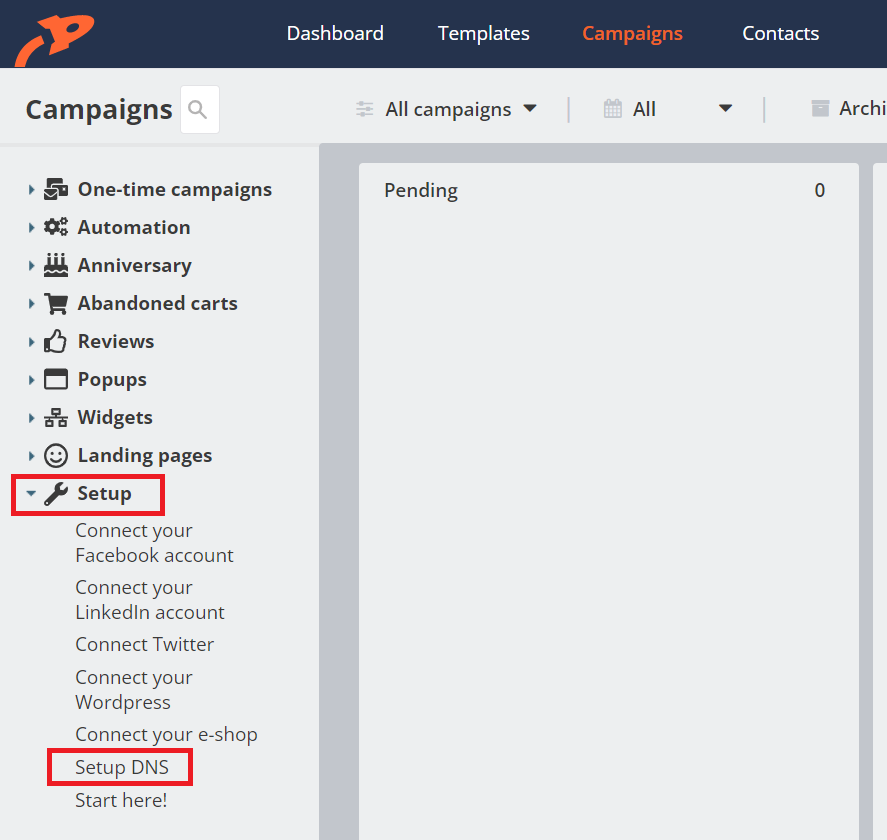
Start by opening the DNS Settings in the Campaigns section.
Instructions for specific hostings
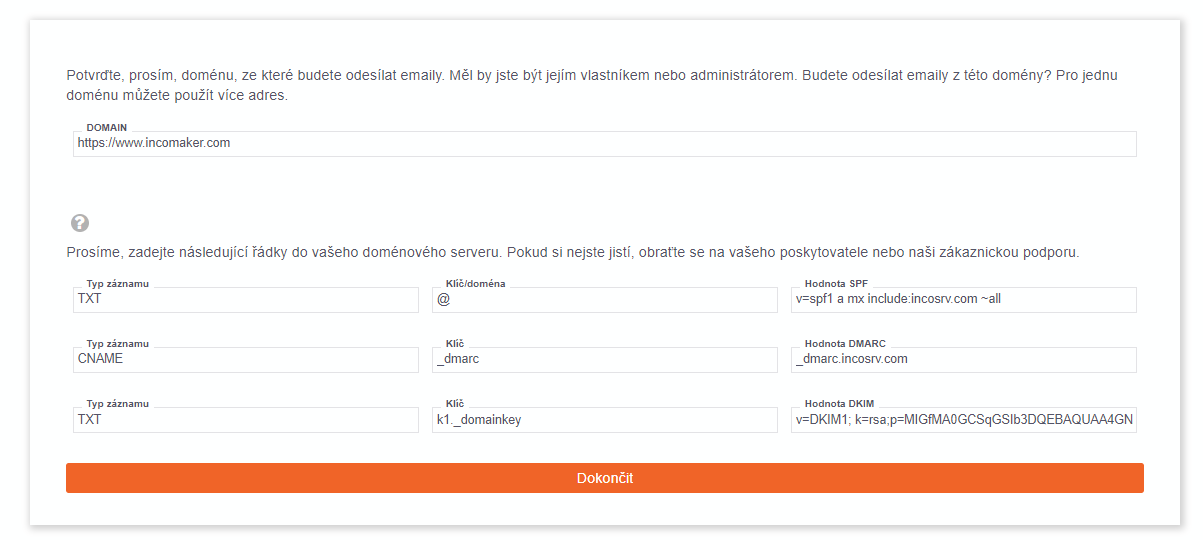
A dialog box will open that provides you with the values that you should enter in your provider’s domain settings. If you are unsure, please contact your IT specialist or our support team.
Máte-li doménu hostovanou u Shoptetu, je postup popsán v tomto článku.
SPF
SPF is an email authentication protocol that allows domain owners to define authorized mail servers that can send emails on behalf of their domain. It works by adding a special DNS (Domain Name System) record to the domain’s DNS settings. When an email is sent, the recipient’s email server checks the sender’s SPF record to verify its authenticity.
In the context of mass email campaigns, SPF plays a crucial role in ensuring successful delivery of emails to recipients’ inboxes. Without proper SPF configuration, emails from your domain may end up in spam folders or be completely rejected, leading to reduced engagement and potential damage to the sender’s reputation.
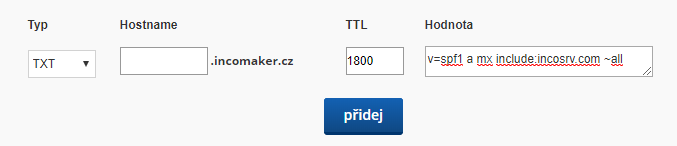
We insert the SPF into the TXT record of the domain. The specific form and field names vary slightly from provider to provider. For example, the Hostname (or equivalent) field is left blank for some providers, for others a special character is inserted, such as @, etc.
DKIM
DKIM in Mass Mailing Configuration: DKIM, which stands for “DomainKeys Identified Mail,” is a technology used to authenticate the sender of an email and improve email deliverability. It adds a digital signature to the email header, allowing verification that the email was indeed sent from a specific domain. In practice, mass mailings signed with DKIM have a higher chance of successful delivery to recipients’ inboxes and are less likely to be flagged as spam.
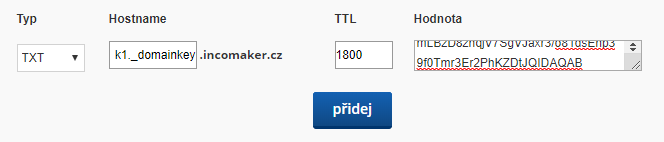
DKIM is inserted into the TXT record of the domain and its form is as follows:
DMARC
The main difference between DMARC and other protocols lies in their complexity level and the areas they focus on. While SPF and DKIM deal with verifying the sender’s identity based on IP address and email signature, DMARC adds additional rules and policies for verifying the authenticity of the sender’s domain and determining how to handle emails that do not meet authentication requirements.
Overall, DMARC in bulk email settings offers advanced and comprehensive protection for email communications, which includes not only verifying the sender’s identity based on IP address and email signature but also verifying the authenticity of the sender’s domain. SPF and DKIM are important elements in email authentication, but DMARC brings an additional level of security and protection against phishing attacks and email spoofing.
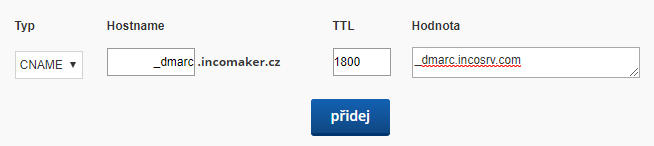
DMARC inserts either the value offered by Incomaker into the CNAME record or your own value into the TXT.