Occasionally, a customer will write to you asking you to unsubscribe them from your newsletter. If you have an e-shop connected to Incomaker,n delete the contact from the Incomaker database, because when you update it, the contact will be re-uploaded to Incomaker with the originally selected settings from the e-shop. However, if you remove a particular contact from the distribution list, it will remember that setting and the contact will be ignored when updating from the eshop.
How to do it?
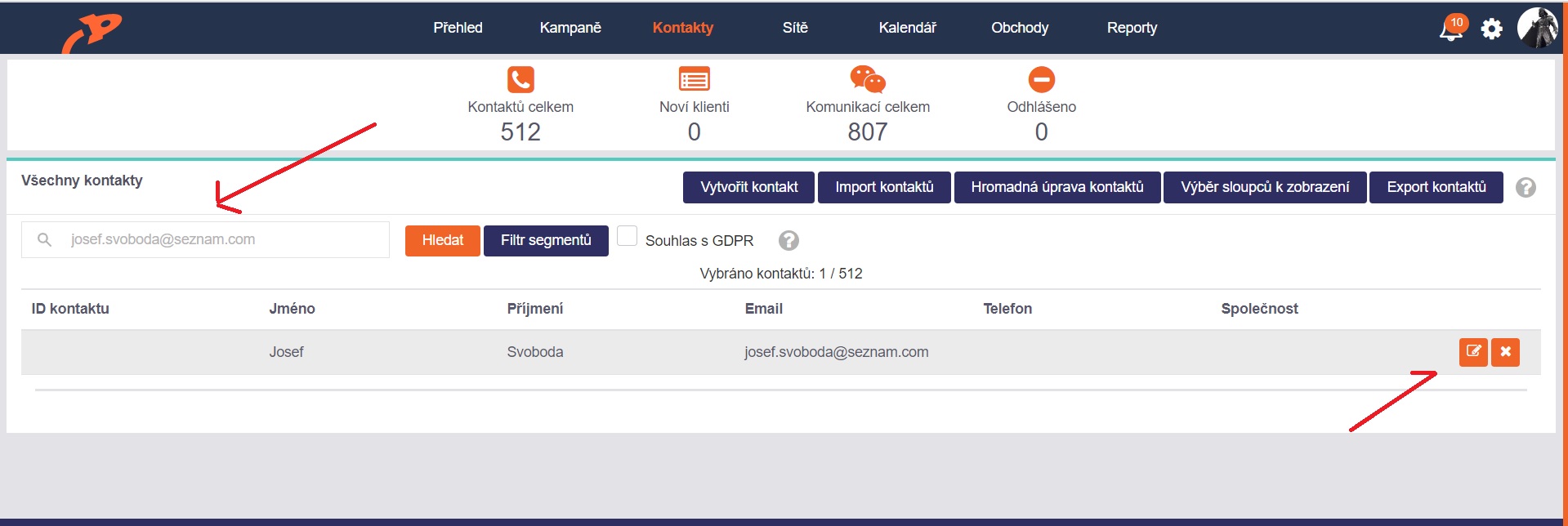
In the Contacts tab, enter the specific contact you want to remove in the search and click on the contact detail.
Edit segments
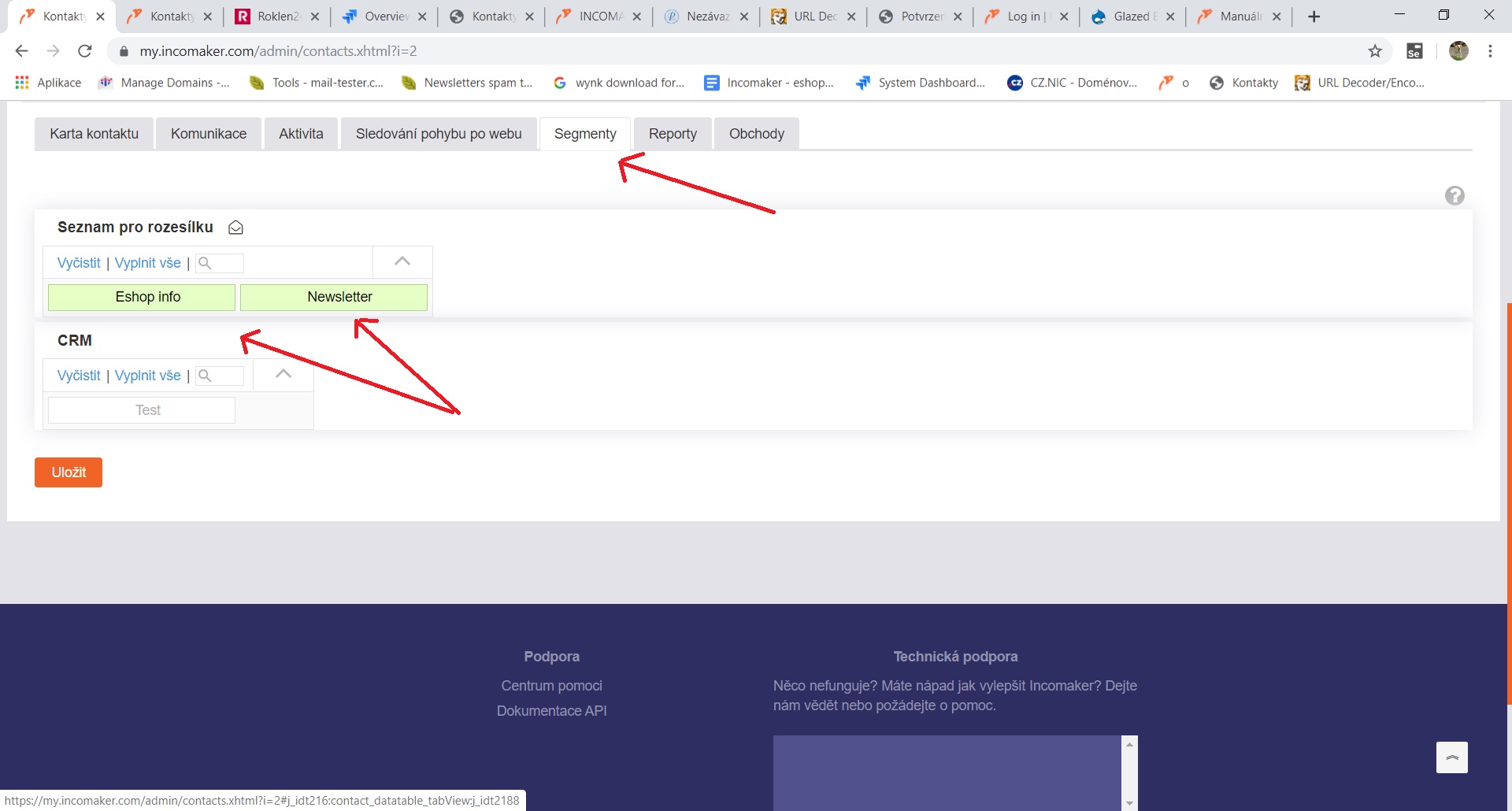
In the contact detail, select the Segments tab. Click on any distribution lists that are highlighted in green. When they are no longer green, click Save and you have unsubscribed the contact from all mailing lists.